Cache First is a form configuration option that helps improve performance for app users with poor network connectivity.
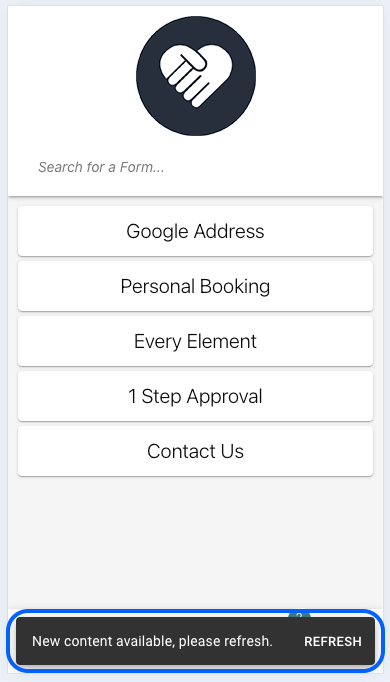
When Cache First is enabled, app and form changes can be downloaded in the background while users continue using the app. Once the latest changes have finished downloading, users will see a refresh button that allows them to load the updated version.
TABLE OF CONTENTS
Configuring Cache First
Step 1: Click Manage on the app you would like to configure.
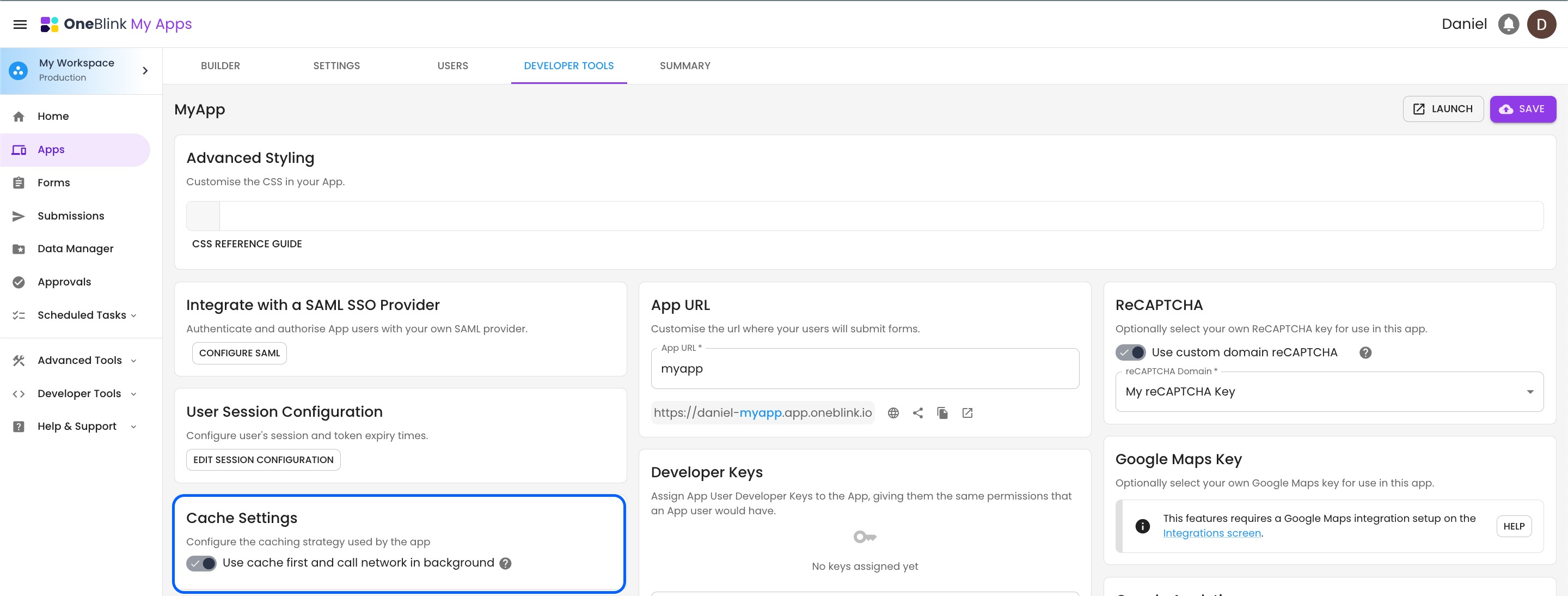
Step 2: Open the Developer Tools tab and turn on Use cache first and call network in background.
Requirements
When a user opens the app for the first time, they will need to be online. This allows the app to download and cache the data required to support faster load times and offline capabilities.
After Cache First has been configured, users will see a refresh button once the latest changes have been downloaded.
Scope
The following features are not in scope for Cache First:
- Lookup/Dynamic Lookups
- List/Dynamic Lists
- Drafts
- Scheduled Tasks
- Jobs
- File(s) (Attachments)
- Submissions
Getting Help
If you need any assistance with Cache First, please reach out through the Report Issue menu or email support@oneblink.io.
Was this article helpful?
That’s Great!
Thank you for your feedback
Sorry! We couldn't be helpful
Thank you for your feedback
Feedback sent
We appreciate your effort and will try to fix the article