Google Analytics

Modified on Thu, 26 Feb at 12:15 PM

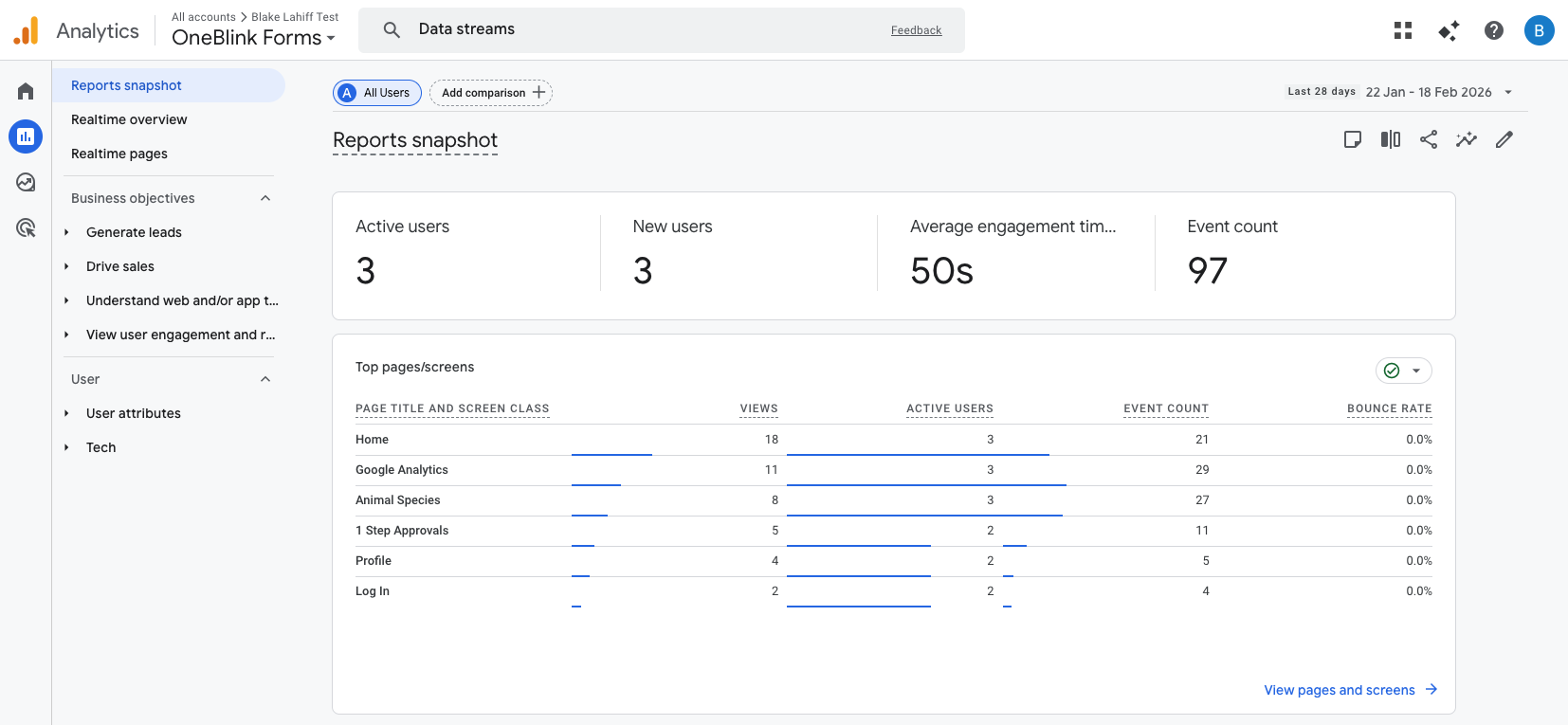
The Google Analytics integration can be used to provide statistics on how people use your apps, for example, it shows you the pages users view, how long they spend before they submit, and where they drop off.


TABLE OF CONTENTS


Preamble


If you do not have a Google Analytics account, you will first need to create one. This can be done by following the Google Analytics Help Centre Documentation: https://support.google.com/analytics/answer/9304153?hl=en


Create a Data Stream


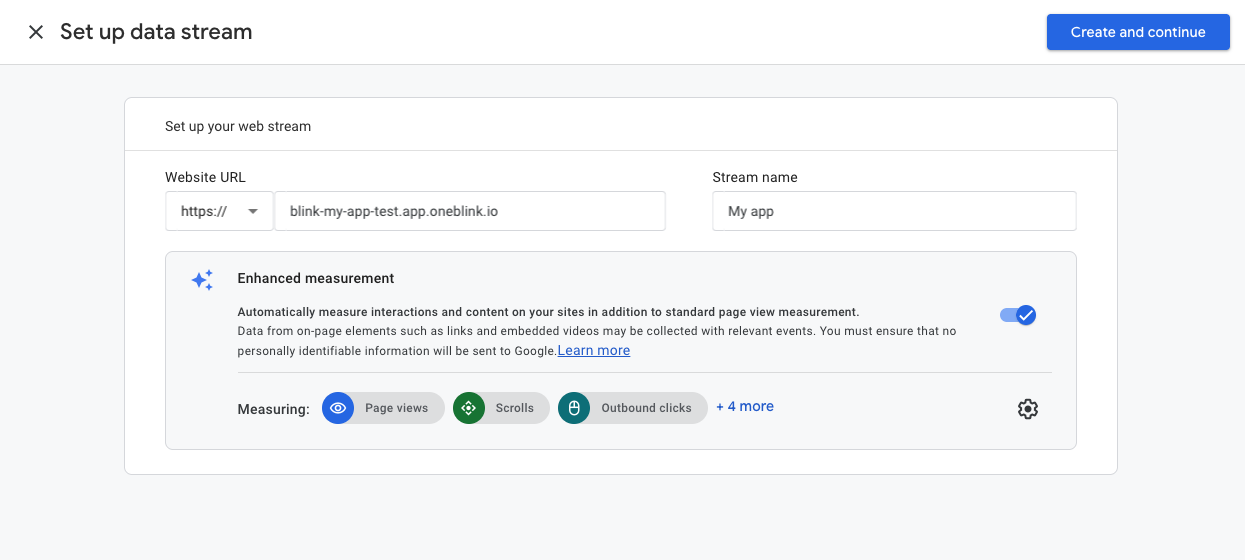
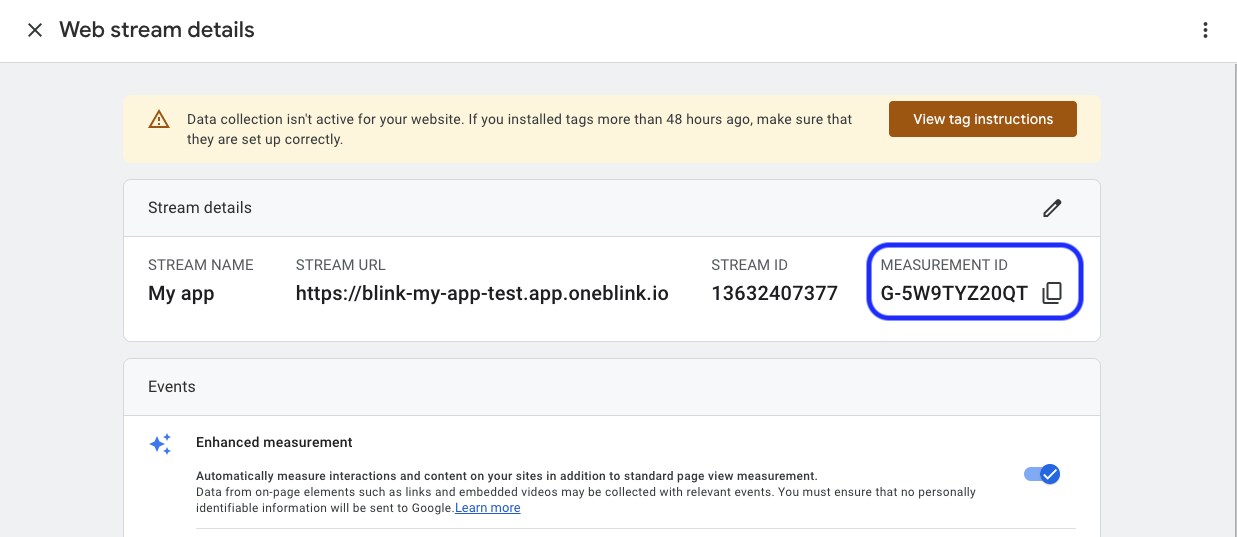
To start capturing data, you will need to create a Web data stream and copy the Measurement ID. This can be done by following the Google Analytics Help Centre Documentation: https://support.google.com/analytics/answer/12270356?hl=en


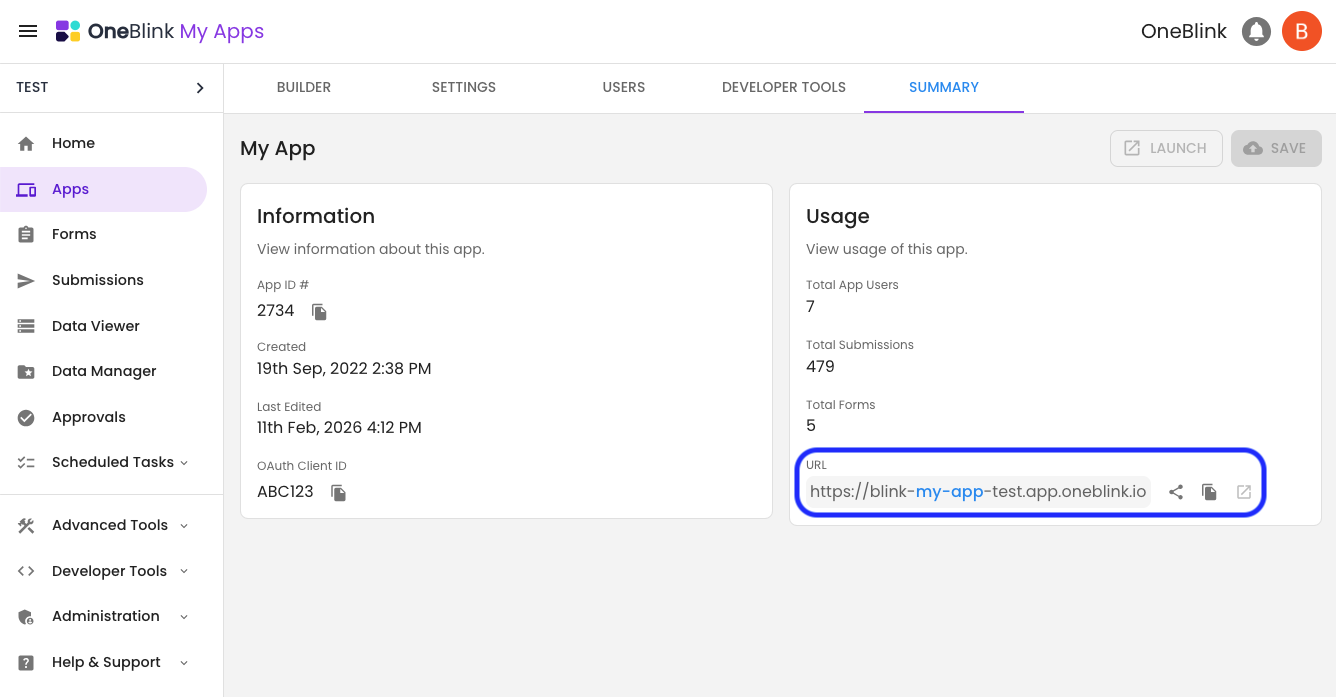
Make sure when creating your Web data stream that you add the App URL in the Website IRL input. The App URL can be found on the Summary Tab or your app configuration screen. 


Configure your App


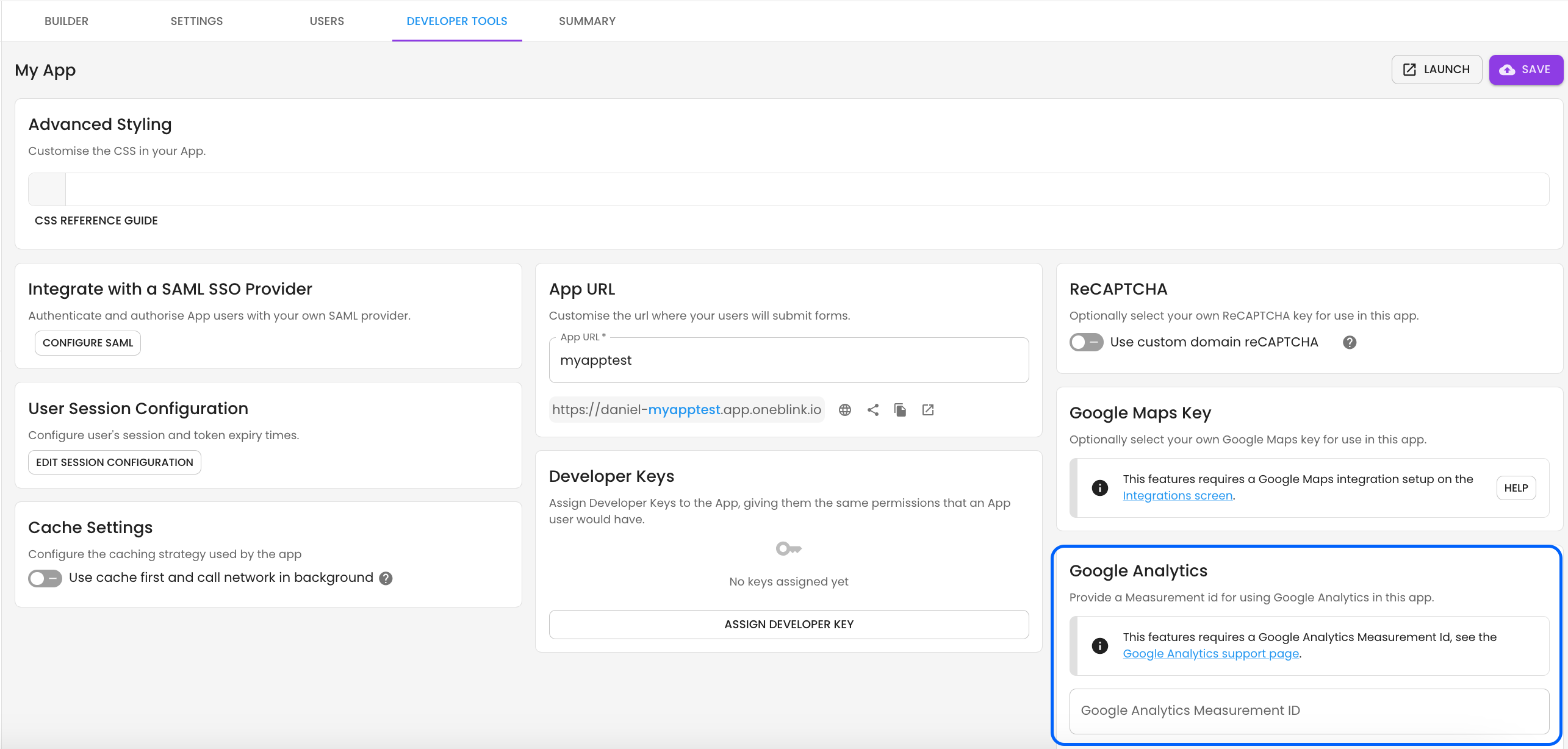
Once you have the Measurement ID, you will want to add it to the Google Analytics configuration of your app. This can be found in the Developer Tools menu of your app.


Once added to the app, data will start to be sent to your Google Analytics Stream. This currently includes the following:

  1. Page Views
  2. Submission Count
  3. Abandonment Count
  4. Time before submission
  5. Time before abandonment
  6. Last form element modified before abandonment


Get Help


If you have any questions or would like assistance with Google Analytics, please contact us via this support portal or email support@oneblink.io. We are happy to assist in any way we can.

Was this article helpful?

That’s Great!

Thank you for your feedback

Sorry! We couldn't be helpful

Thank you for your feedback

Let us know how can we improve this article!

Select at least one of the reasons
CAPTCHA verification is required.

Feedback sent

We appreciate your effort and will try to fix the article