This tutorial explains how to send OneBlink form submission data into Power BI using Power Automate and the Power BI Add Row to dataset connector.
Before starting this tutorial, make sure you have completed the Power Automate Integration article. You will need your OneBlink form data available in Power Automate before connecting it to Power BI.
TABLE OF CONTENTS
Setting up the Power BI Dataset
Datasets can be used to populate graphs and charts in your Power BI dashboards.
To create a dataset for your OneBlink form submission data, follow the steps below:
Step 1: Open Power BI and navigate to your workspace.
Step 2: Select the Datasets tab and click Create.
Step 3: Select Streaming dataset, then select API.
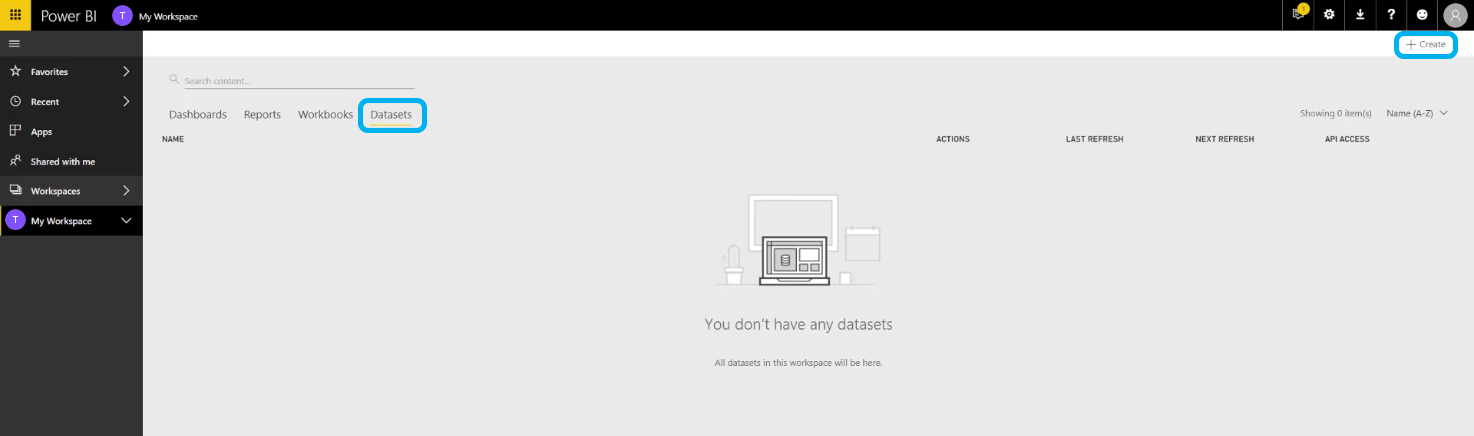
Step 4: Build out your dataset by adding a dataset name and the values you want to capture.
These values should match the form submission data you want to send to Power BI. Power BI datasets support the following value types:
- Text
- Number
- DateTime
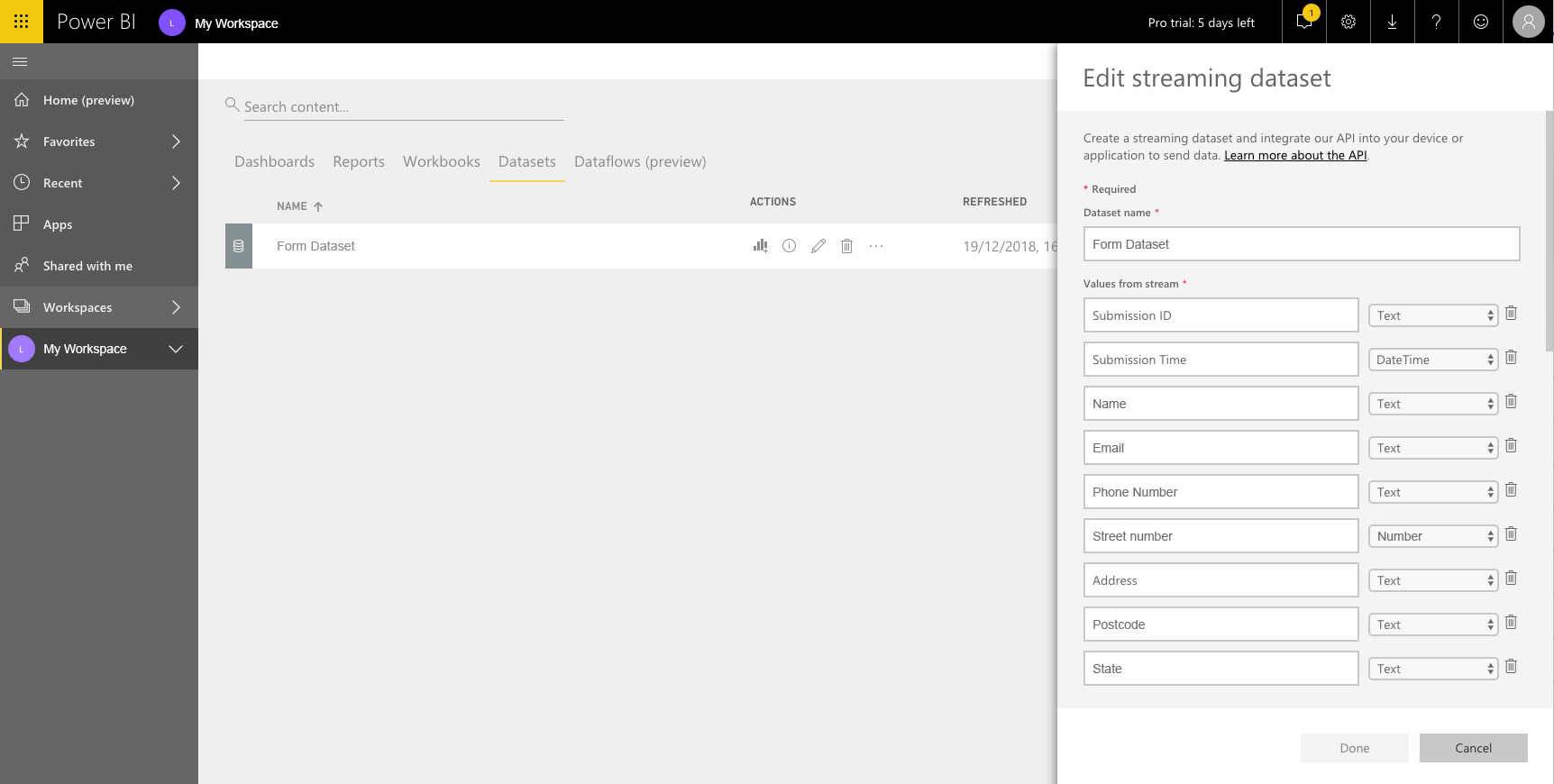
Once the dataset has been created, you can connect it to your Power Automate flow.
Connecting Power Automate
After setting up the Power BI dataset, you can add the Power BI action to your flow.
Step 1: Open Power Automate.
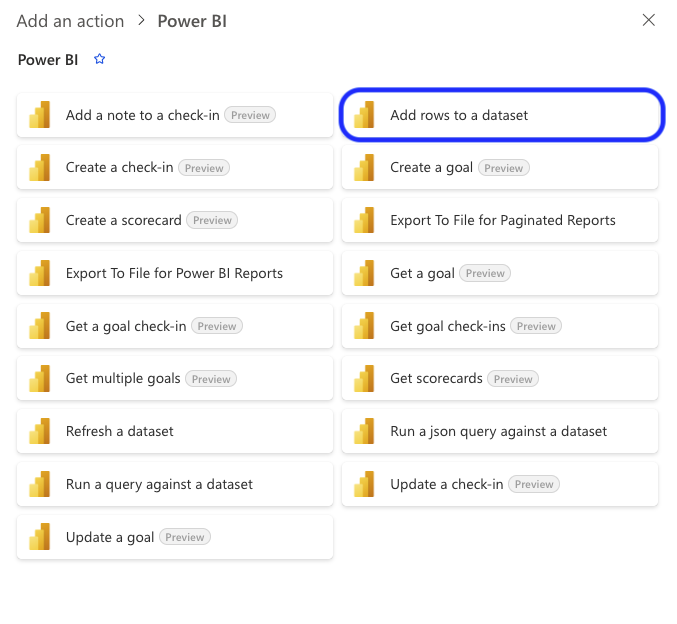
Step 2: Search for the Power BI Add row to dataset connector.
Step 3: Select the relevant Workspace, Dataset and Table.
Once these fields have been selected, the dataset values will appear in the connector.
Step 4: Match each dataset value to the relevant OneBlink form submission data.
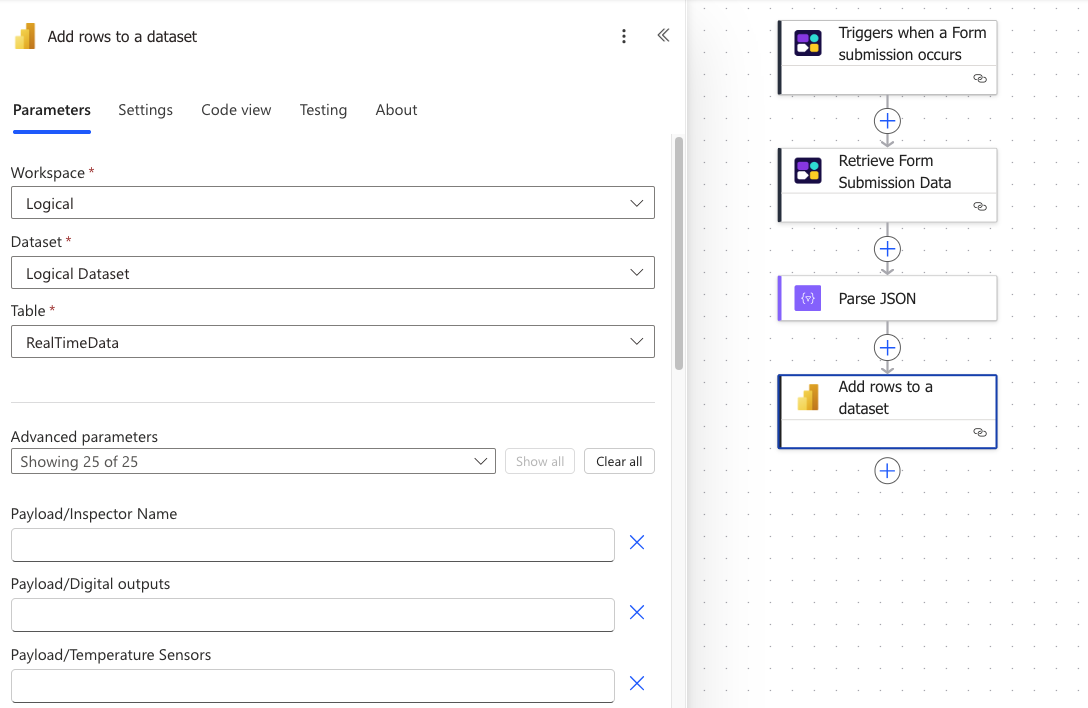
Step 5: Save your flow.
Testing the Flow
Submit the connected OneBlink form and check whether the submission data starts populating the Power BI dataset.
You can confirm whether the flow has run successfully by opening the flow in Power Automate and checking the Run History.
Getting Help
If you need any assistance with Power BI integration, please reach out through the Report Issue menu or email support@oneblink.io.
Was this article helpful?
That’s Great!
Thank you for your feedback
Sorry! We couldn't be helpful
Thank you for your feedback
Feedback sent
We appreciate your effort and will try to fix the article