Form Composer is an AI-powered feature that allows you to build and modify forms using text prompts and file uploads. Form Composer allows you to quickly and easily build simple or complicated forms and make large-scale changes to your form.
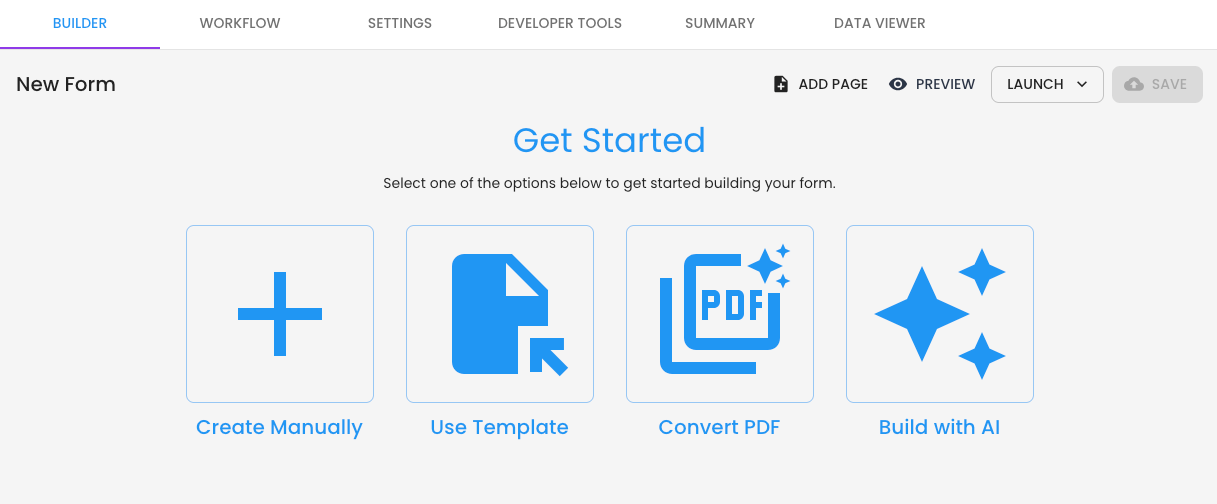
TABLE OF CONTENTS
Account Set-up
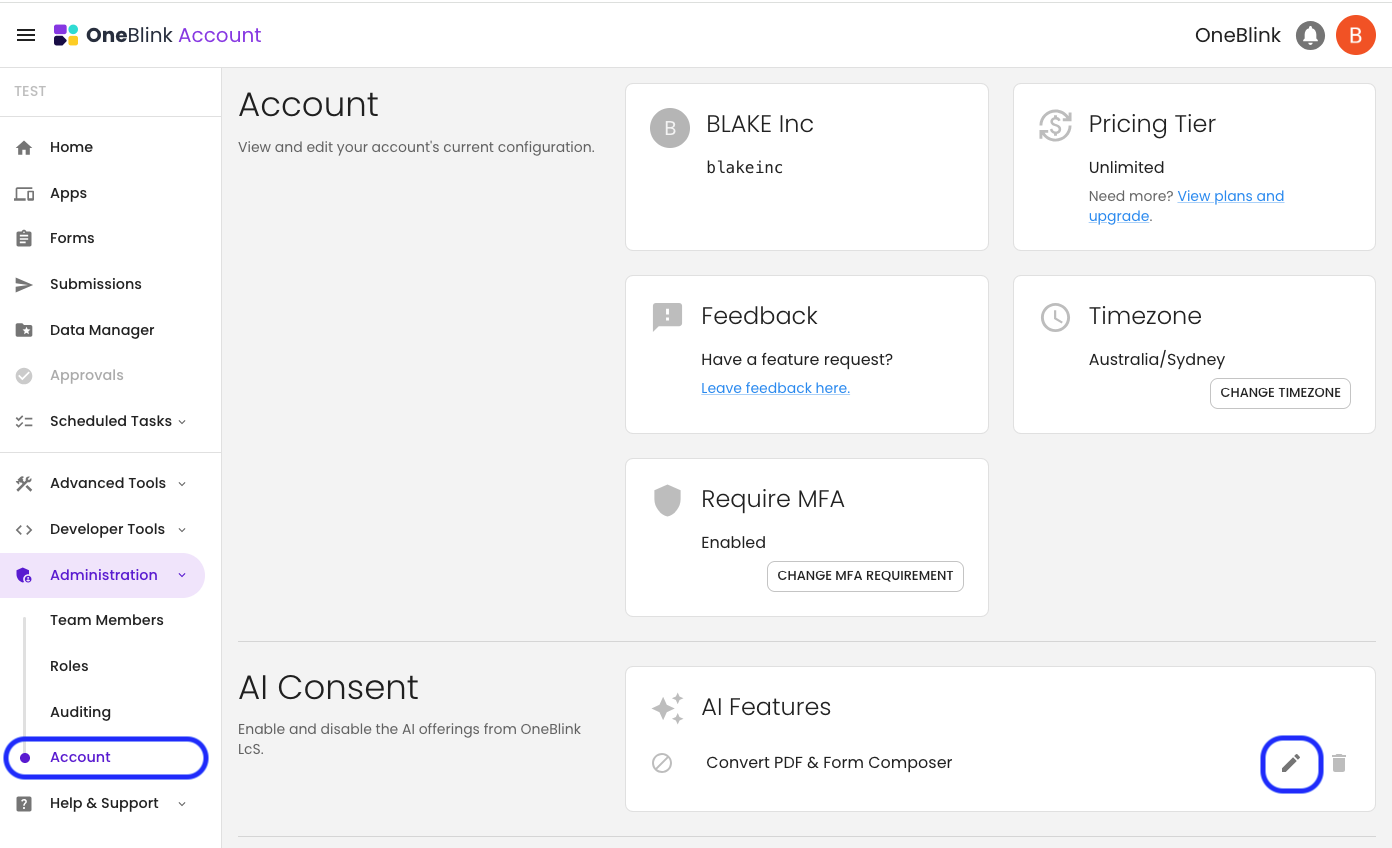
To start using Form Composer in your account, you will need an Account Owner or a Team Member with the Roles: Manager permission to navigate to the Account screen to complete the AI Concent.
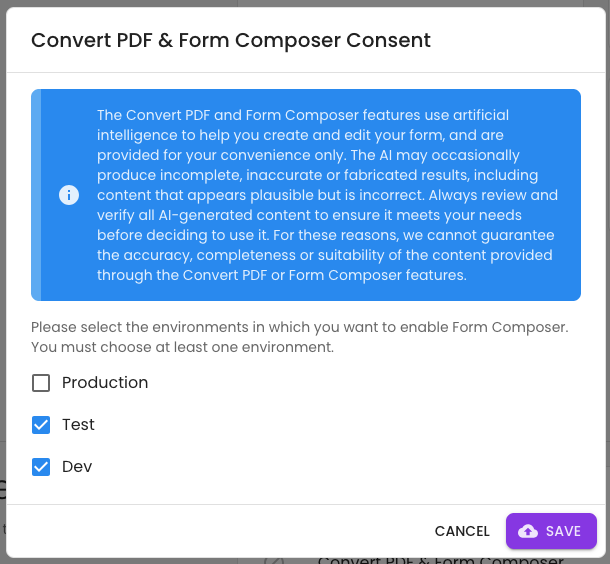
Specify which environments you want to enable Form Composer, and click 'Save'.
Using Form Composer
New Form
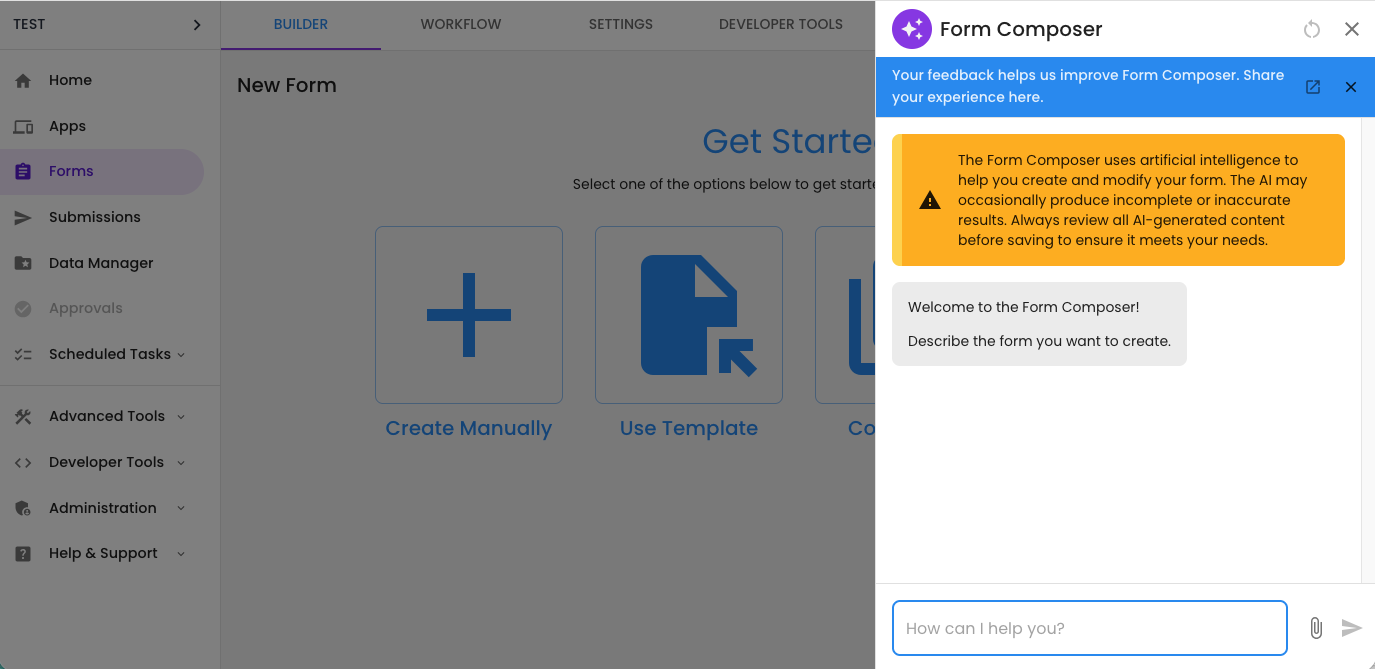
Now, when creating a new form, you will be able to see the 'Build with AI' option.
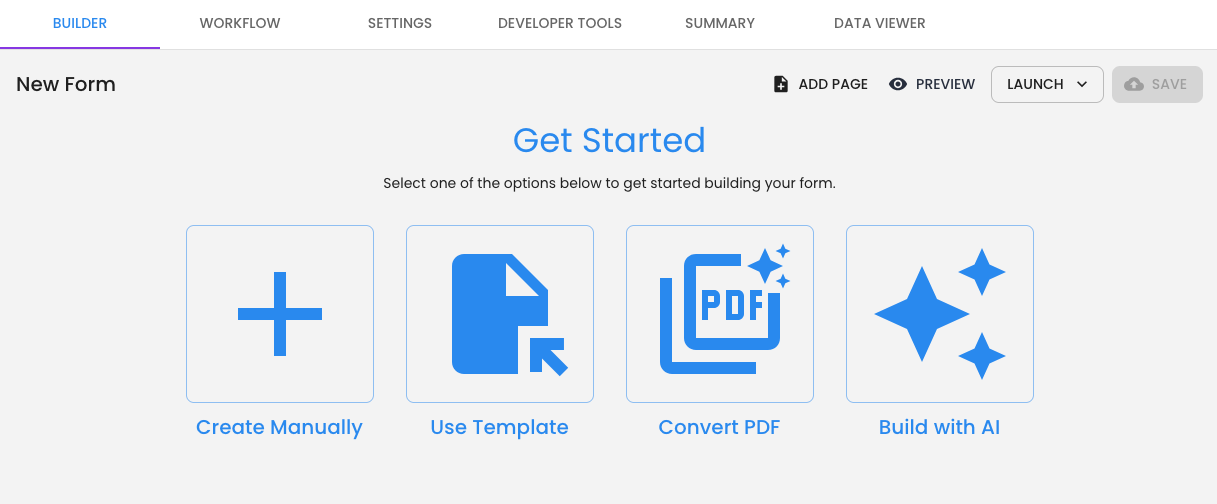
Clicking this will open the Form Composer dialogue, allowing you to start building your form. You can either type a prompt describing the form you want to create or upload a file of the form and provide instructions for how you would like to use it.
Updating a Form
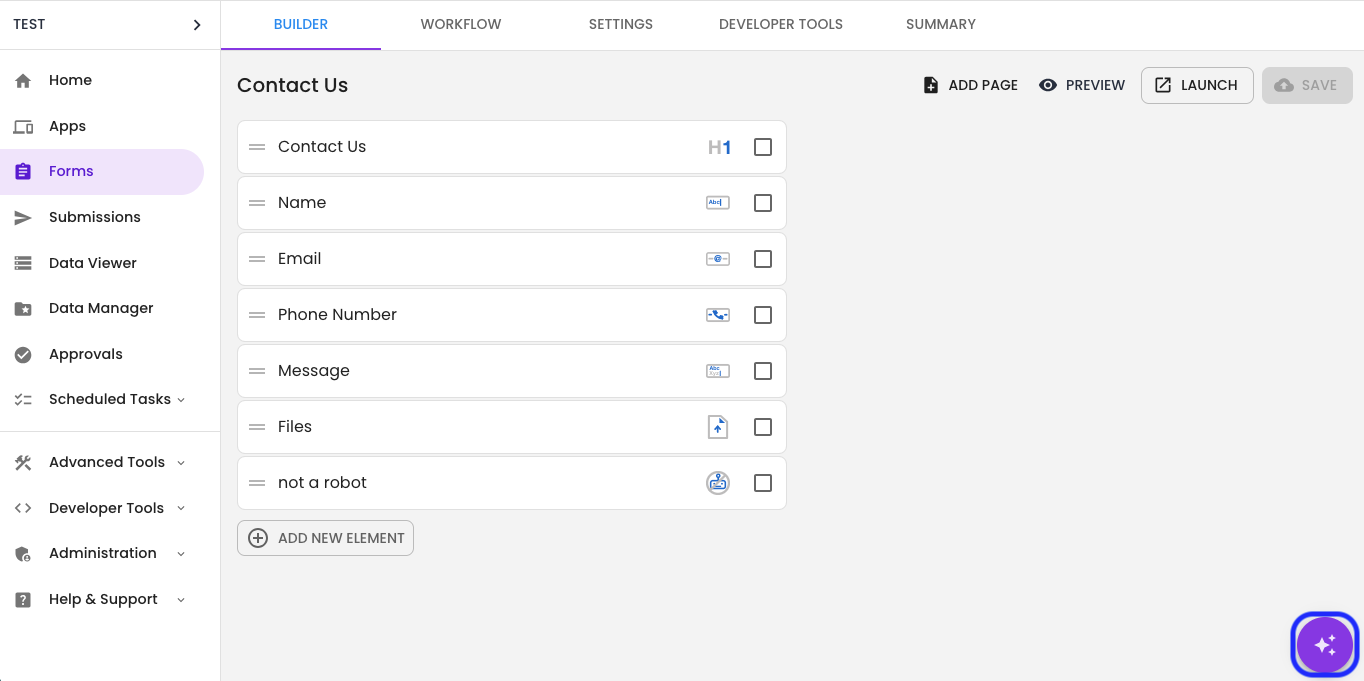
Form Composer can be used to create new forms or modify existing forms in your account. Once you open a form from an environment where Form Composer is enabled, the Form Composer button will appear in the bottom right-hand corner of the screen.
Form Composer Process
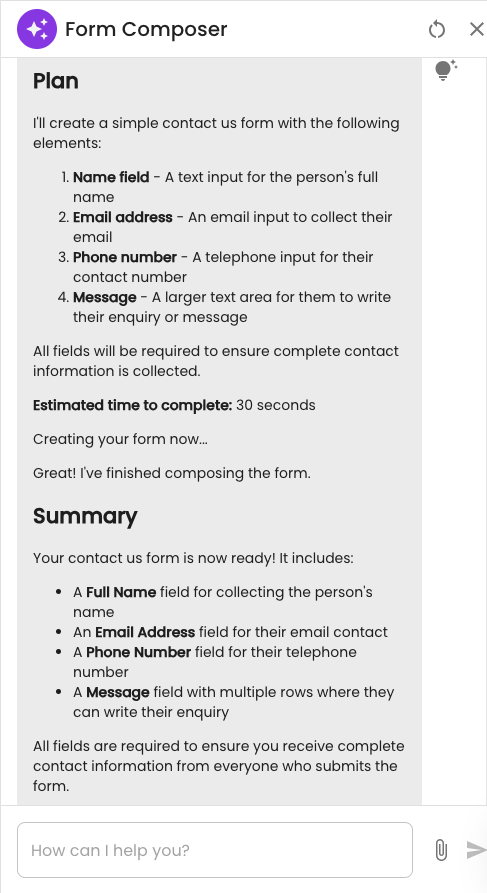
When given a prompt, Form Composer will follow the process below:
- Reasoning: Form Composer will say, "Let me think..." You can see the reasoning by clicking the lightbulb icon.
- Plan: Form Composer will provide you with a Plan of the form it is going to create.
- Estimate: Form Composer will provide an approximate duration for how long the form will take to build.
- Build: Form Composer will build each of the elements and pages out in front of you so you can see the progress.
- Summary: Once the build is completed, Form Composer will give you a Summary of the completed form or changes.
FAQs
- Does Form Composer data still meet data sovereignty needs?
Answer: Form Composer uses AI functionality hosted within the existing Tenants AWS account and region. - What AI Model is Form Composer using?
Answer: Form Composer is currently using Claude Sonnet 4.5, all hosted on AWS Bedrock. - What file types are supported in Form Composer?
Answer: Form Composer currently supports uploading up to 5 PDF, PNG, or JPEG files.
Get Help
If you have any questions or would like assistance with setting up Form Composer, please contact us via this support portal or email support@oneblink.io. We are happy to assist in any way we can.
Was this article helpful?
That’s Great!
Thank you for your feedback
Sorry! We couldn't be helpful
Thank you for your feedback
Feedback sent
We appreciate your effort and will try to fix the article