Styling Assistant is an AI-powered feature that allows you to modify the environment appearance configuration using text prompts and file uploads.
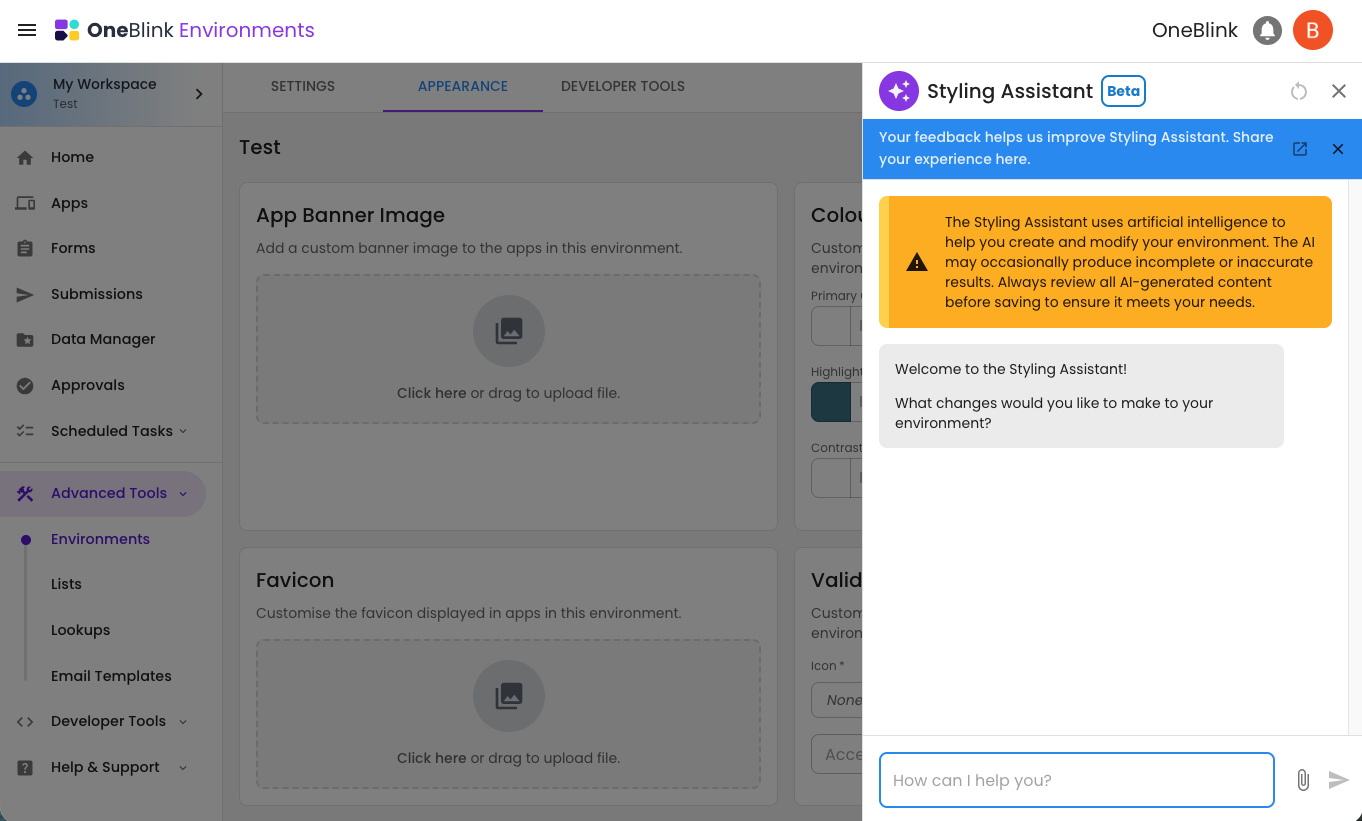
TABLE OF CONTENTS
Account Set-up
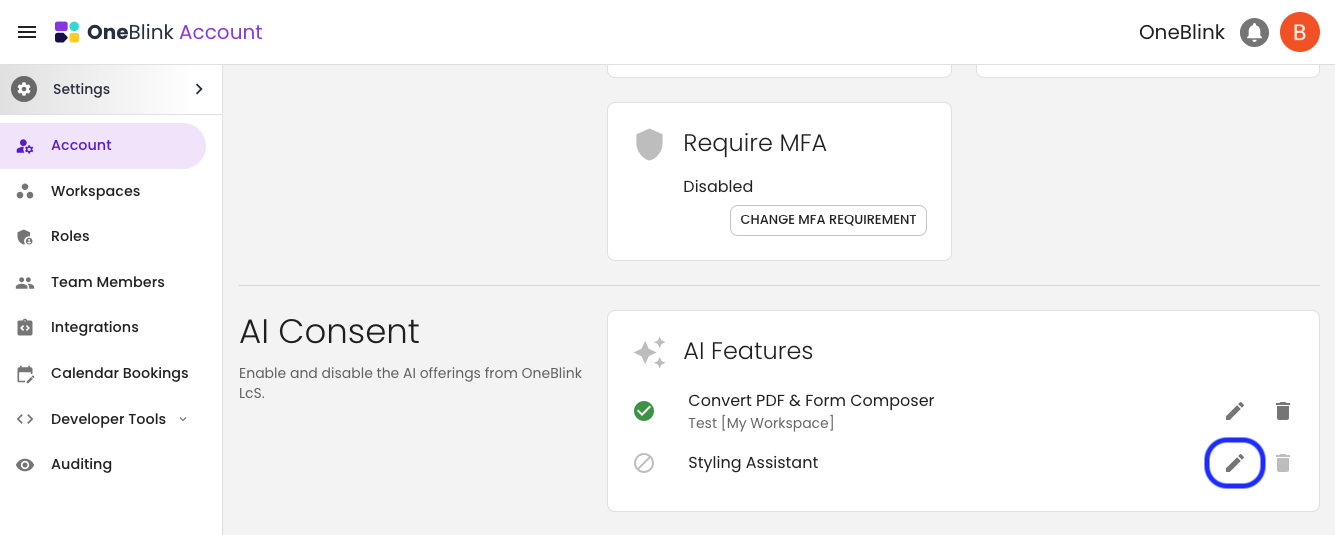
To start using Styling Assistant in your account, you will need an Account Owner or a Team Member with the Roles: Manager permission to navigate to the Account screen to complete the AI Consent.
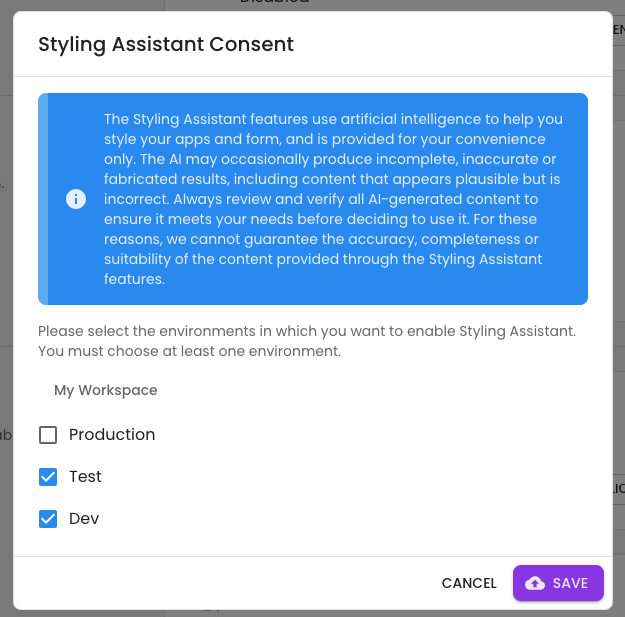
Specify which environments you want to enable Styling Assistant, and click 'Save'.
Using Styling Assistant
Styling Assistant can be used to modify the configuration of the Environment appearance screen. To start modifying your environment's appearance, follow the steps below:
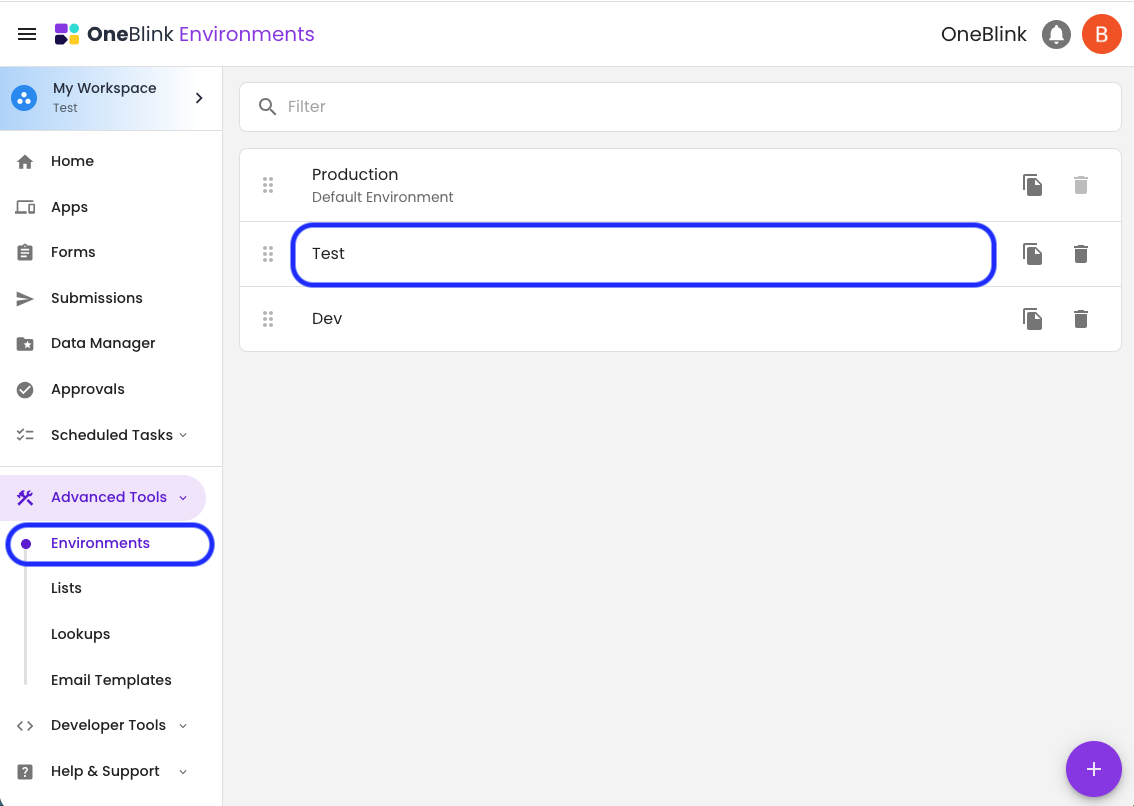
Step 1: Navigate to the Environments List screen in the side menu and click on the environment you want to modify.
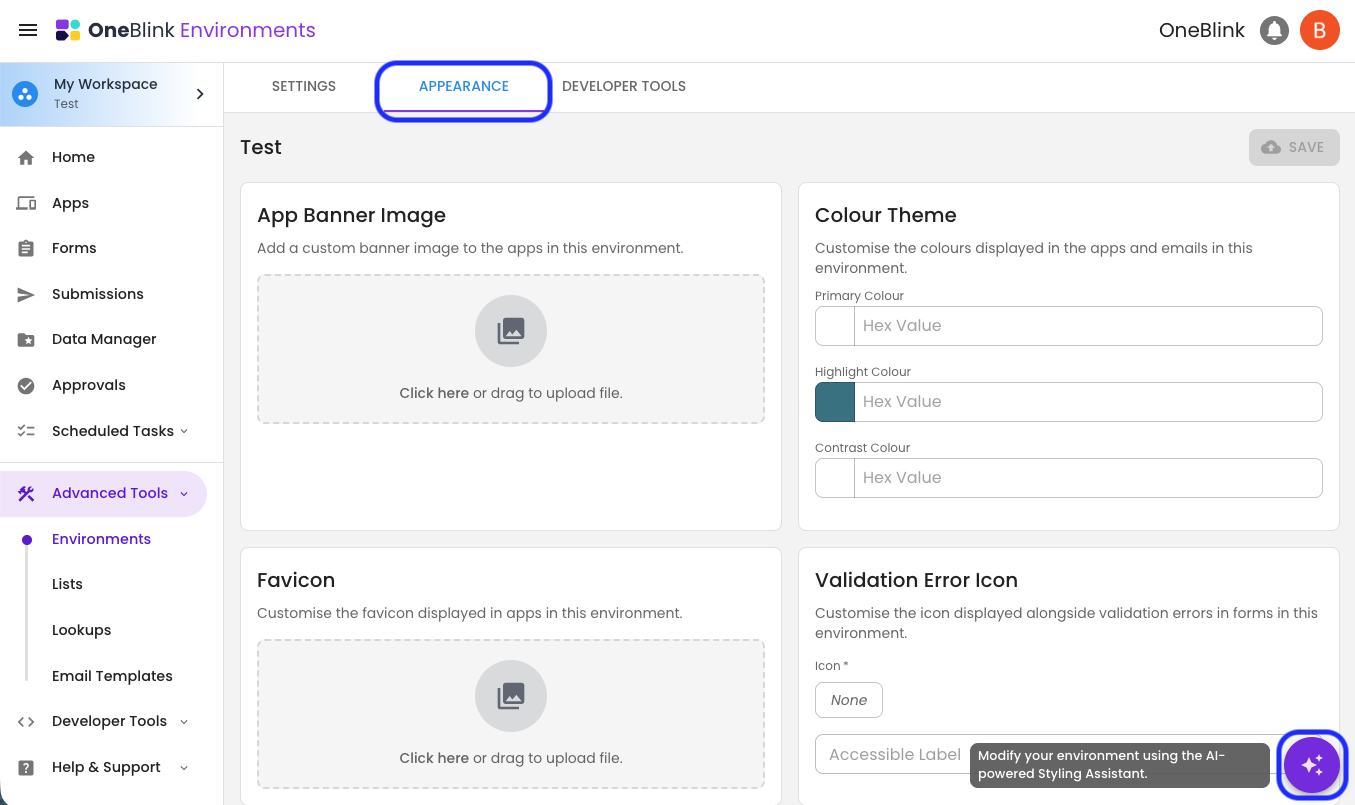
Step 2: Navigate to the Appearance tab and click on the AI Styling Assistant button.
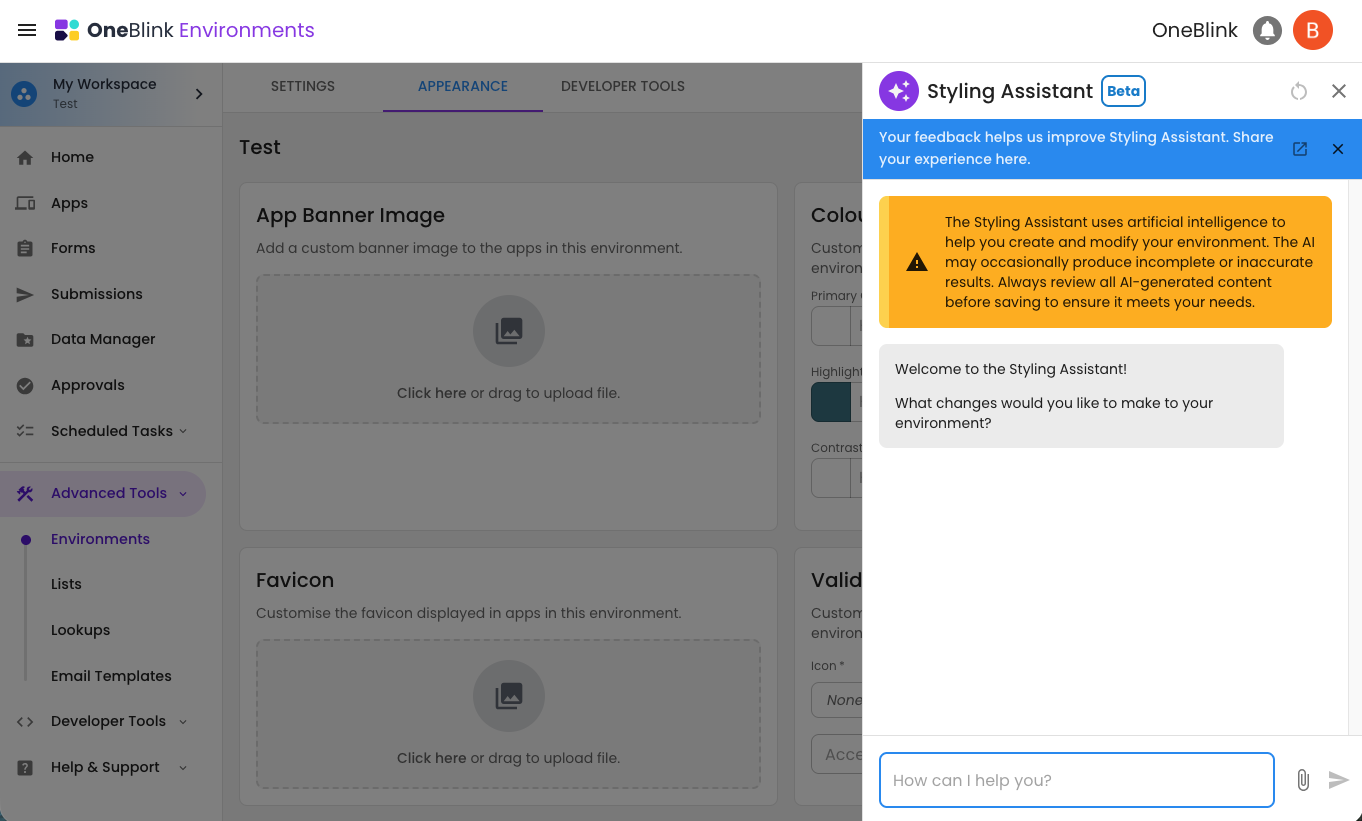
Step 3: Enter a prompt into the input to start modifying your appearance settings.
For more information on the configuration options, check out the Environments Article.
Some options for modifying the appearance settings include providing a PDF of your styling guidelines, sharing a link to your website, or simply describing the look and feel you’re aiming for.
FAQs
- Does Styling Assistant data still meet data sovereignty needs?
Answer: Styling assistant uses AI functionality hosted within the existing Tenants AWS account and region. - What AI Model is Styling Assistant using?
Answer: Styling Assistant is currently using Claude Sonnet 4.6, all hosted on AWS Bedrock. - What file types are supported in Styling Assistant?
Answer: Styling Assistant currently supports uploading up to 5 PDF, PNG, or JPEG files.
- Can Styling Assistant access URLs?
Answer: Yes, Styling Assistant can search URLs provided they are in its training data. Styling Assistant, however, cannot perform live searches of sites, meaning it's interpritation of the URL may be unavailable or out of date.
- Can Styling Assistant add CSS to the environment?
Answer: No, Styling Assistant is only supported on the Environment Appearance tab and is designed to set configuration, not add CSS. Doing so ensures that users can understand and change any configuration set by the styling assistant. - Can Environment Appearance settings affect forms without Apps?
Answer: Yes, some Environment Appearance settings will affect apps and others will only affect forms, but any form configuration, such as element label colour and weight, will be inherited by forms that are not associated with apps.
- Can Environment Appearance settings affect embedded forms?
Answer: No, embedded forms will not inherit any platform styling.
Known Limitations
- Unable to set Images: The App Banner and Favicon cannot currently be configured using Styling Assistant.
- Live URL Search: Styling Assistant is not able to search live website URLs and instead relies on captured training data.
Get Help
If you have any questions or would like assistance with setting up Styling Assistant, please contact us via this support portal or email support@oneblink.io. We are happy to assist in any way we can.
Was this article helpful?
That’s Great!
Thank you for your feedback
Sorry! We couldn't be helpful
Thank you for your feedback
Feedback sent
We appreciate your effort and will try to fix the article